
Unless you’ve been living under a rock the last few months, you’ll have heard all about Clubhouse by now, the new invite-only audio networking platform. Clubhouse members have shared mixed reviews about the platform, and, of course, the invite-only feature is quite limiting.
If you’re not a fan of Clubhouse or yet to gain access, fear not, for Twitter has recently released its own audio-based feature. Introducing: Twitter Spaces.
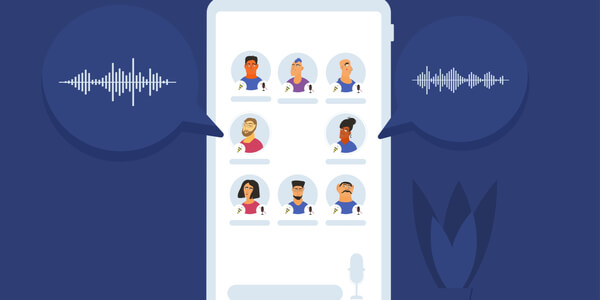
Who Can Host Twitter Spaces?
Twitter Spaces enable users to ‘Host’ and participate in conversations without leaving the Twitter app. Twitter Spaces are currently available on Twitter for iOS and Android with the desktop functionality coming soon.
To start hosting, hold down the Tweet compose icon at the bottom of your screen or open the Fleet creator and scroll to the far right where you can select ‘Spaces’. The icon for Twitter Spaces looks like multiple circles in a diamond shape.
It’s important to note that when hosts create a space, they will start as the only speaker. If you’re planning to host a space, be sure to promote this to your followers beforehand by Tweeting the link or sending an invite via direct message. You can also share the link across all of your Social Media platforms to encourage your other account followers to find you on Twitter too.
Who Can Join A Space?
Twitter spaces are public for anyone to join as a listener even if they don’t follow you and there is no limit on the number of listeners at one time. Once the space is live, hosts can request listeners to become speakers and participate in the conversation by tapping on the ‘people’ icon. Alternatively, listeners can request to speak by tapping the ‘request’ icon.

Who Can Speak In A Space?
Spaces are automatically set to only allow users the host has invited to speak, however, this can be modified once the space has been created. Speaker permissions include everyone, people you follow and only people you’ve invited. If you amend the permissions they will apply to that specific space so you would need to change them again for any new spaces.
As above, the host can control who can speak within a space and even once they have given access, they are able to mute any speaker. Hosts can remove, report and block others within the space as and when required.
Up to eleven people including the host can speak at any one time. However, consider how confusing this may be for listeners if too many people are speaking at once. You may wish to outline some ground rules for your speakers at the start of each space. For example, not talking over another speaker and no swearing.
If needed, hosts can mute all speakers at once. You may also see prompts to allow captions that help listeners follow the conversation. This can be done either when creating a space for the first time or in your device settings. Captions are auto-generated so try and reduce any background noise and enunciate where possible.
When Will A Space End?
Only hosts are able to end a space unless it’s found to be violating Twitter Rules. If users feel a space is in violation of the rules, anyone can report it. Although (currently) spaces are only accessible whilst they’re live, Twitter does retain a copy of the audio for up to 30 days in case a rule review is required. If the space is found to violate the rules, Twitter extend this to 90 days to allow hosts to appeal the decision.

What Do We Think Of Twitter Spaces?
We love seeing Social Media platforms grow and develop their features to stay in demand and cater to what their users want to see and do. Not only does this encourage an audience of engaged users across each platform ready for businesses to promote themselves to, but it also keeps brand creativity and content fresh.
Twitter Spaces will allow businesses to engage with their audience and showcase their knowledge and expertise. However, don’t forget that it’s still possible to go live on Twitter which may be a better option if you think the addition of visuals will better support your message.
Furthermore, there is something a lot more authentic about audio conversations, especially on a platform like Twitter where users are so quick to share their thoughts and opinions. Audio communications allow for context and, importantly, accountability and are an easy way to share or retain larger amounts of information.

3 Times to Utilise Social Media at Events Using Twitter
Twitter for Events Have you ever been having a conversation with yourself – in a muttering under...

Find the right twitter tip for you!
Twitter tip 5: Spot a tweet you would like to revisit when you have more time? Best to bookmark it so that you don’t have to waste time scrolling trying to find it later.