June 3, 2021

Schedule Stories In Facebook Business Suite

Previously companies have left Social Media as an afterthought or to a junior member of the team. However, as more and more businesses view Social Media as a critical area of their marketing mix, it’s essential to understand how to get the most out of each platform.
 

One of the best ways of ensuring Social Media is not only at the forefront of the marketing strategy but successfully deployed is to plan and schedule content. By knowing what is due to be published, when and where, businesses can dedicated time each day/week/month depending on what works best for them to schedule content, conduct social listening and engage with their audiences. 

Understandably, businesses with smaller budgets will want to keep their Social Media outgoings as low as possible, especially if they’re not sure how actually to calculate ROI (Return On Investment). However, thankfully once again, Facebook has made it easier than ever to schedule content to their platforms. 

Scheduling to Facebook Pages has been available within the platform for years, although this has more recently moved to Creator Studio. Scheduling to Instagram, however, is a reasonably recent addition. And now, the wishes of every Social Media Manager have been granted, and Facebook’s Business Suite enables users to schedule not only Post but Stories too! 
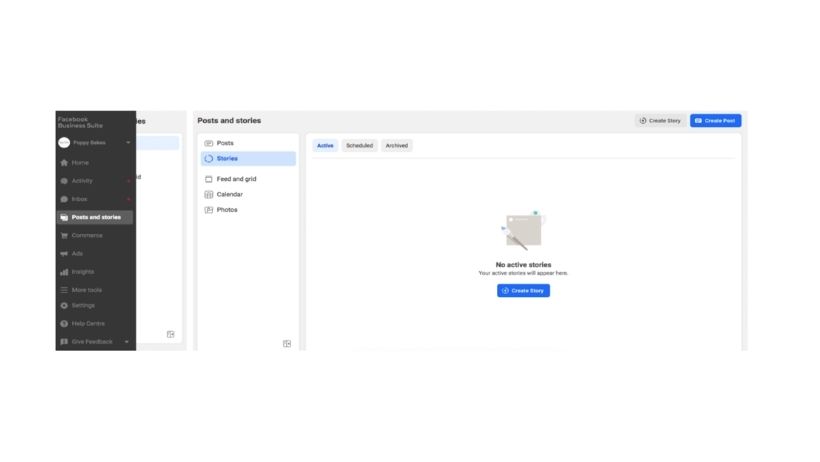
Within Facebook Business Manager, you’ll find a link to Facebook Business Suite, and here you can connect and manage your Facebook and Instagram accounts (and more). Below you’ll see users can create Facebook and Instagram Posts, Stories and manage their content Calendar and Photo Library. Within the same platform, businesses can manage their comments and inbox as well as review account insights.
 

How To Schedule A Story

Simply click ‘Create Story’ in the top right corner of the screen and choose whether you’d like to share to Facebook and/or Instagram.
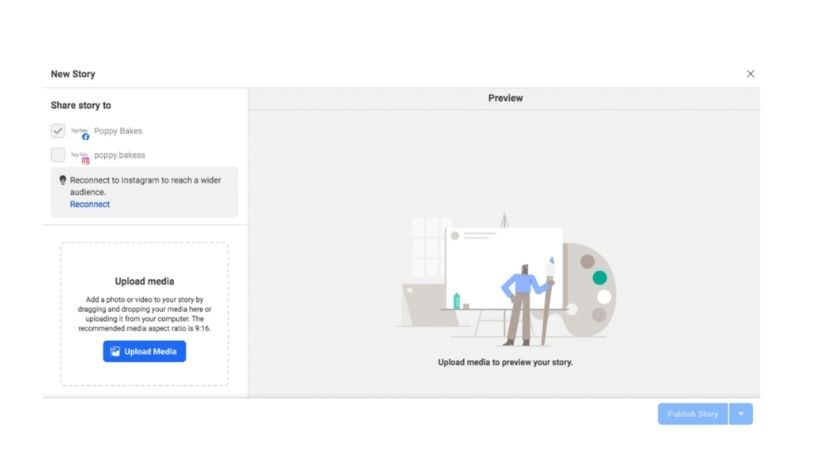
Schedule stories to Facebook
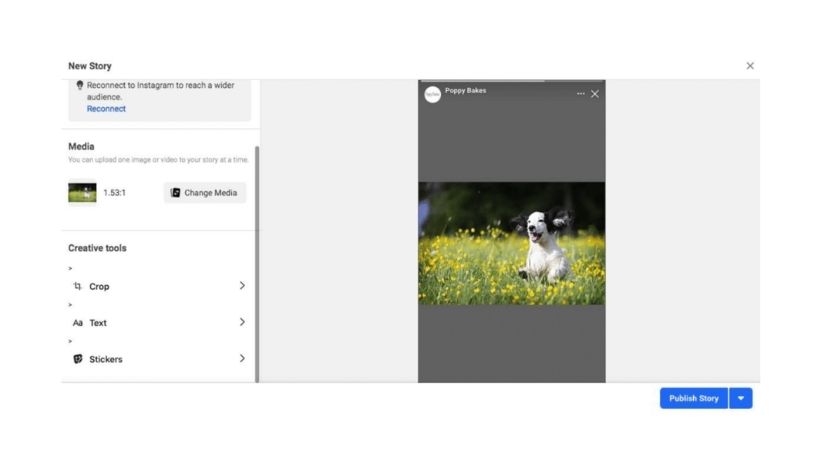
Upload your Media – it’s best to source your desired imagery at the same time as you write the copy, so when it comes to scheduling, you have everything you need. You’ll see here that you can upload one image or video to your Story at a time.
 
upload your media

If your image isn’t the right size for the Story format, then fear not, for there is a built-in Crop feature in Business Suite. Simply choose from Original, Square or Full-screen Vertical. We like the image to fill the screen, but it’s entirely up to you!
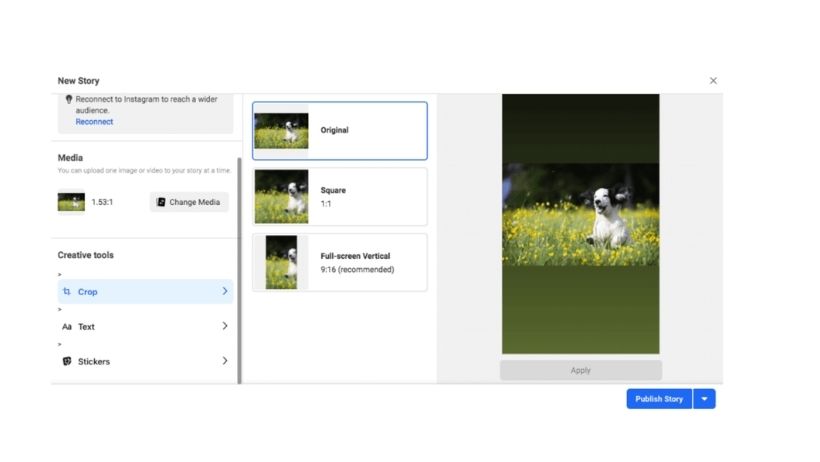
resize your image
If you do select the Full-screen Vertical option, for example, you will be able to move the crop selection box over the image. Before you click ‘Apply’, Facebook will warn you that you will not be able to revert any changes. This shouldn’t be a problem as you’ll still have the original file saved on your computer.
 
resize your image
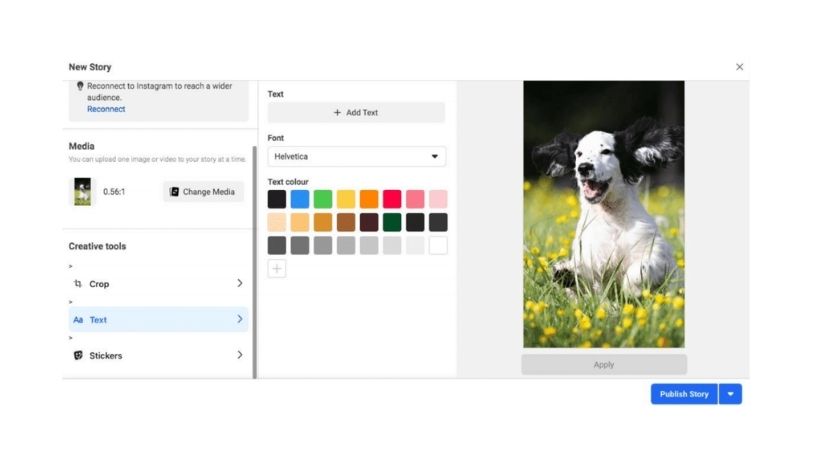
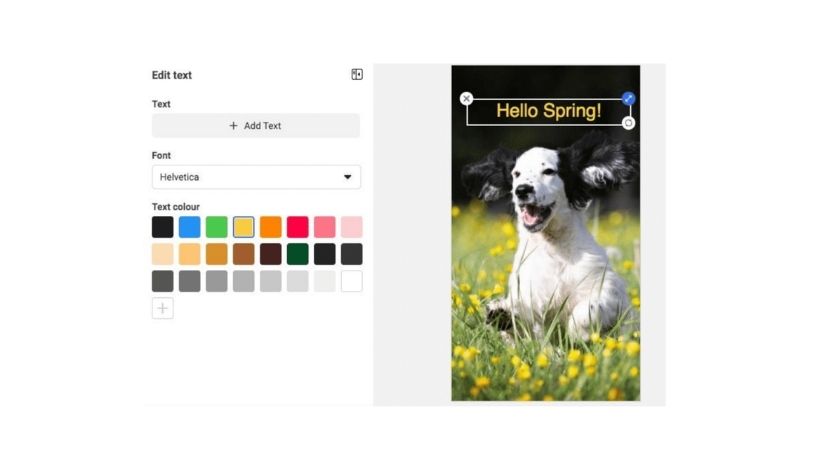
Next, you can add a text overlay to your image. Here you can choose where your text will appear, the font and colour. Again, it’s best to have your text prewritten and proofed, ready to be copied and pasted onto your Story to save time, stay on message and reduce the risk of embarrassing errors.
 
Facebook and Instagram Stories don’t display on the screen of your audience for long, so play around with the positioning, font and colour scheme to ensure your text is clear and easy to read.
 
choose font and colour
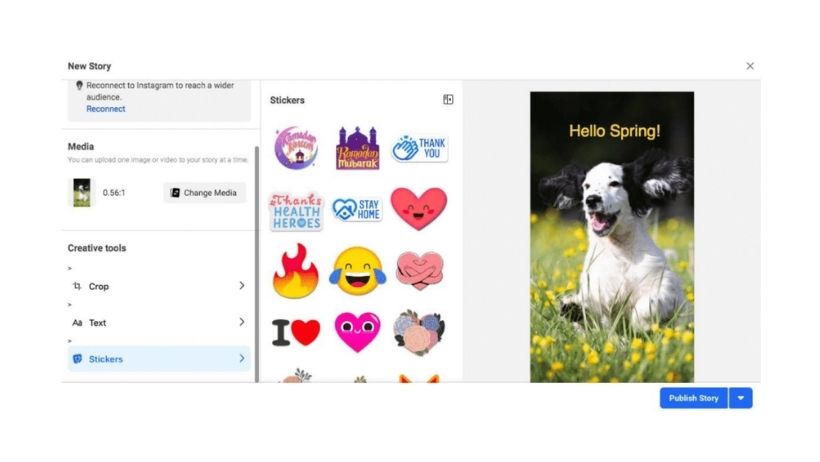
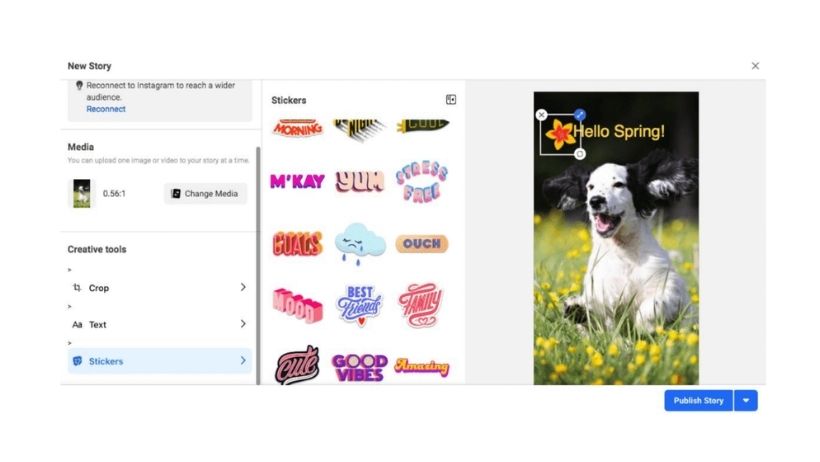
Next up: Stickers! Although the range available within Facebook Business Suite is somewhat limited compared to when users share a story from within the Facebook or Instagram App, there is still a reasonable selection to choose from.
 
stickers on facebook stories
As with the text, once you select your desired sticker(s), you can move them about on your image to see where works best.
 

Don’t forget to click ‘Apply’ after adding your text and/or stickers to ensure all changes to your media are saved.

When you’re happy with your creative, you’re then able to select ‘Publish Story’, which will share the creative instantly or, by clicking the down arrow to the right, ‘Schedule Story’.
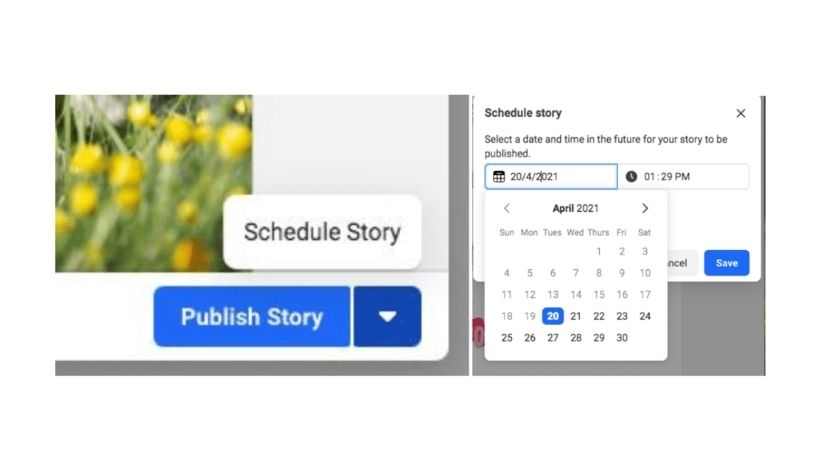
Publish story - Facebook business suite

Once you have published (or scheduled) your Story, you will be able to see it within the Facebook Business Suite platform.
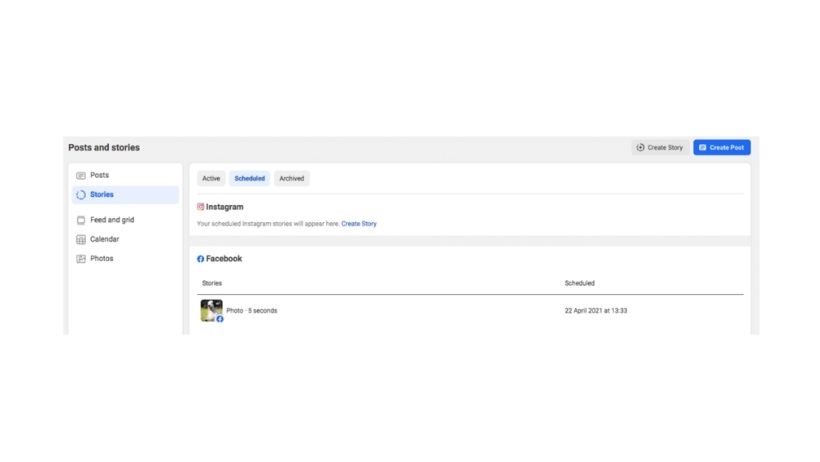
Facebook business suite view

If needed, you can choose to Reschedule, Publish Now or Delete your story.

Once your Story is live, you will also be able to see how long it has left, what date it was published and how many views it had. 
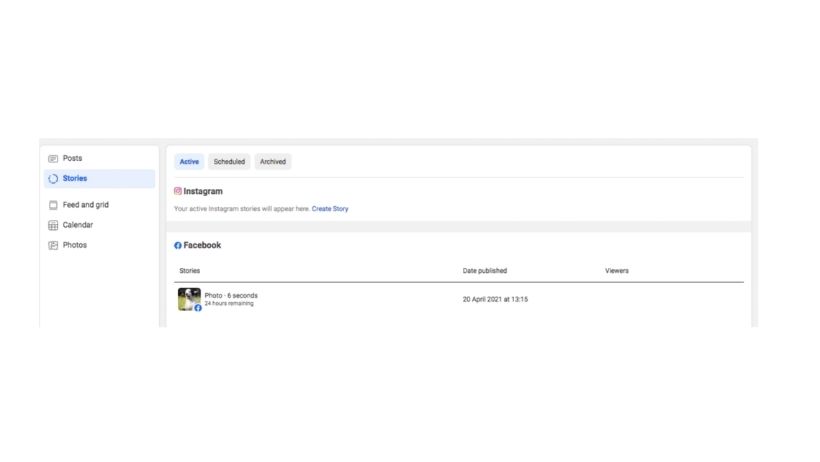
Although businesses may currently be sharing Stories manually throughout their day, this can be hard to manage and consistently commit to for those handling several accounts. It’s never been easier to schedule and share Facebook and Instagram Stories from your desktop so head over to Facebook Business Suite and give it a go!
 
Facebook and Instagram Competition Guidelines

Facebook and Instagram Competition Guidelines

If you’ve been on Facebook or Instagram recently you will have likely seen some sort of competition, you may have even entered it. This form of content is utilised by everyone from small, local businesses to big brands with an aim to increase reach, exposure and page...

How to Create A Facebook Business Page

How to Create A Facebook Business Page

What is a Facebook Business Page? A Facebook Business Page is a feature within Facebook where companies can add all of their contact information and market themselves. This can be through Organic Content published to the Facebook Page or through Facebook Paid Ads....


Recent Posts
A Guide to Google My Business

A Guide to Google My Business

Google My Business has been around since 2014 and helps to connect business owners with customers. When customers search for your business on Google, they should be able to find you... if they can't it means you haven't set up a Google My Business listing. Setting up...

How To Use Pinterest For Business

How To Use Pinterest For Business

Pinterest has an active monthly user figure of approximately 459 million people, increasing by over 100 million in 2020. The Pinterest platform is used by members to browse for and share creative inspiration and aspirational content through ‘pinning’ images and videos...

Facebook Groups For Businesses

Facebook Groups For Businesses

For those of you who caught the 2020 Super Bowl advert (if not catch it here), and likely for a while before that, you'll know that Facebook is strongly advocating Facebook Groups. There is an estimated 600+ million Facebook Groups currently, but the minimal emphasis...

Our Favourite Types Of TikTok Posts

Our Favourite Types Of TikTok Posts

Launched in 2016, TikTok has grown rapidly in popularity and now has over 600 million monthly active users. The platform, available on desktop and as an app on iOS and Android, allows users to share 15 to 60-second video clips with text, audio and filters.  TikTok...

20 Tips For Instagram Marketing

20 Tips For Instagram Marketing

Statistics show that 90% of Instagram users follow at least one business account. Whether you’re just starting to build your brand on Instagram or it’s simply time for a refresh, with over 1.16 billion users, it’s undoubtedly a fantastic marketing tool – if you...

Follow us

linkedin