
Twitter Advanced Search
Twitter Advanced Search is going to change how you view Twitter!
Although you may had heard that Twitter is on the decline, especially compared to Facebook and Instagram, that isn’t necessarily the case. There are approximately 330 million monthly active Twitter users. Interestingly, the most cited reason for visiting Twitter is to “discover something new and interesting”. With this in mind, is your content designed to give the people what they want?
Events are a fantastic example of using Twitter well as you can raise awareness before, during and after an event by utilising relevant hashtags and handles. This will allow you to connect with other event-goers and bring your followers along for the day, digitally. But that’s not the be-all and end-all of the Social Media platform.
The best way to get the most out of Twitter is to know how to use it. Properly. This doesn’t just mean tweeting regularly with handles and hashtags.
Take a look at the Twitter Analytics available to you each month, see what tweets got the best engagement and whether your followers are increasing or decreasing. Let your results influence your future activity and set benchmarks and targets against yourself month on month.
Another great way to make the most out of Twitter is the ‘Advanced Search’ functionality available on Twitter.com only. This could be used for a research piece, keeping up with a specific topic/story in the news or perhaps you’re behind on a popular TV series and want to see what people were saying about it last year when it first came out. To be honest, with the number of filters available in the advanced search, the possibilities are endless.
Not sure how to use Twitter Advanced Search? Here’s how…
Let’s say that you wanted to find a specific Tweet about… Chicken Nuggets. Tweeted by… Chrissy Teigen.
However, if your Twitter is anything like ours then there are A LOT of people talking about chicken nuggets on your news feed so scrolling through your timeline or even Chrissy’s is no good and you need to specifically search for it.
Firstly, try entering your search term into the search bar on Twitter:
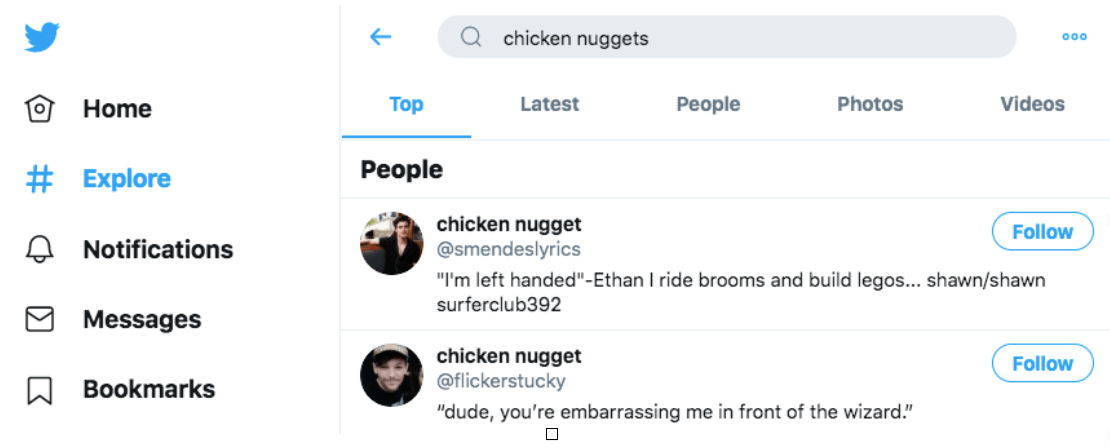
This will likely give you a whole random (it is Twitter after all) list of results that you can filter by ‘Top’, ‘Latest’, ‘People’, ‘Photos’ or ‘Videos’ Results. It’s unlikely that this will reveal exactly what you’re looking for the first time.
On the right of the screen, there are three blue dots to click which reveal a dropdown of ‘Search Settings’, ‘Advanced Search’ or ‘Save Search’.
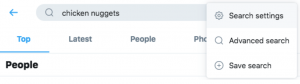
Search settings allow you to hide sensitive content and remove blocked and muted accounts from your results.

Save search does what it says on the tin and saves your search for the next time you click into the ‘search’ bar (we’re not obsessed we’re chicken nuggets, you are). This may only be worth doing if your search term is slightly more specific than ours…
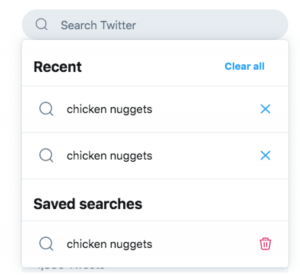
Clicking ‘Advanced Search’ will bring a pop up with a huge amount of filters to narrow down your results. The more you know about the specific tweet or kind of tweets you’re looking for, the better and quicker your results will be.
Firstly, you can choose which words you’d like to search for, whether it’s an exact phrase, a random selection of words or hashtags. You can even exclude words to be extra specific.

Next, if you know who tweeted about what you’re searching for, or in this case if you’re looking for tweets by Chrissy Teigen or someone else then you can filter by ‘From’, ‘To’, or ‘Mentions’ certain accounts using their ‘@’ Twitter handle.
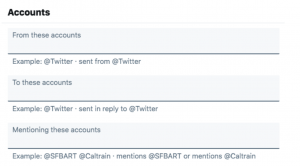
If that isn’t enough, you can then filter by replies, links, amount of engagement and even the date range of your search criteria! Twitter really is giving you everything you could possibly need to find exactly what it is you’re looking for.



It’s important to note here that when this blog post was being written, it was unknown whether Chrissy Teigen had ever tweeted about Chicken Nuggets, it was just an easy assumption. However, thanks to Twitter Advanced Search we will get our answer…
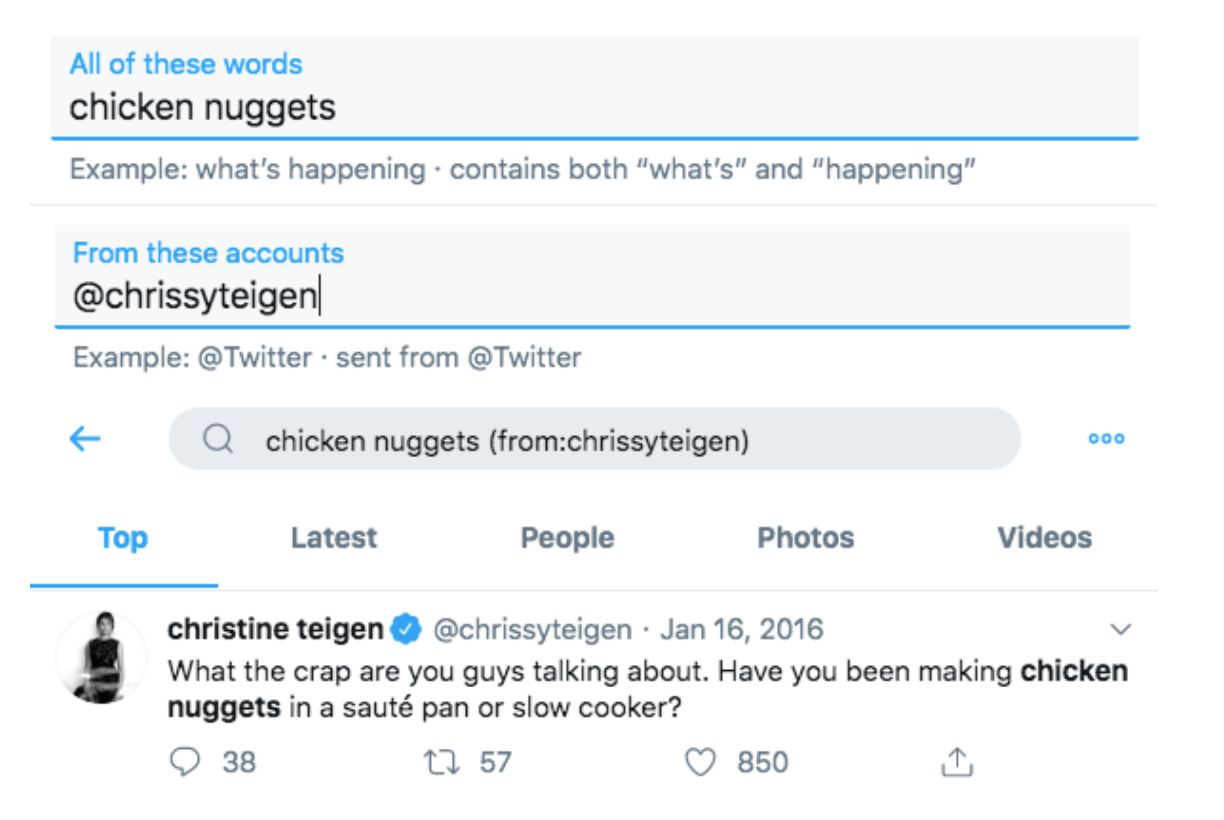
There you have it!
To conclude, Twitter isn’t dead or dying, there’s just so many unknowns as to what you can do to get the best out of it. Get yourself on to the desktop version of Twitter and play around with the tools available to you, if you’ve been stuck on the App too long you’re likely missing a trick or two.
If you would like some more help with understanding Twitter for business we offer Twitter training packages.