Instagram is one of the most popular social media platforms around with over 1 billion people signed up to the app!
This makes it ideal for socialising online, and the perfect place for businesses to find their target audience. Because of Instagram’s popularity, the app now provides a range of options for users, including whether they want a personal, creator or business account. The settings for each of these account types can differ, and you can only make a personal account private.
Today we are showing you how you can switch your account to private, and helping you to decide whether switching your privacy setting is the best decision. What types of Instagram accounts are there?
There are three main types of Instagram accounts that anyone can use, depending on the content they share and the product/services they provide. You can switch your account at any time, not just when you join – so it is a great idea to learn more about Instagram settings to find the best option for you.
Instagram Personal Account
A personal account is for those that want to share images, videos and stories of their personal lives to friends, families and any other followers. A personal Instagram account provides the option of added security with the ‘private’ feature. Switching a personal account to private on the app will prevent people that you don’t know from searching and seeing your content.
People will have to ‘request’ to follow you, and you can either approve or decline these requests. This means that only the people you have approved will be able to see the photos and media you post.
On the other hand, a personal account can be kept public, which means that anyone on Instagram can view your profile and content. Your posts can be liked and shared by any other Instagram user, no matter where they are in the world. A personal Instagram is the most basic account type and does not provide insights or allow you to put in contact information.

Instagram Creator Account
Switching your Instagram to a creator profile will allow you to easily publish branded content, and also give you insights to monitor your impressions, engagement and following. This type of Instagram profile is typically used by influencers and public figures who do not need as many features as a business.
Becoming a creator is ideal if you want to provide contact details, view insights, and run promotional ads.
However, you cannot switch a creator Instagram to private which means that anyone will be able to view your profile, at any time.
Instagram Business Account
A business Instagram account provides specific settings and features to help organisations market themselves.
There is a range of settings that can boost your business and help you to reach marketing goals. You will be provided with business-specific insights, the ability to promote posts and run ads, Instagram shopping and more!
Like the creator profile, you cannot edit your privacy settings if you are running a business account.
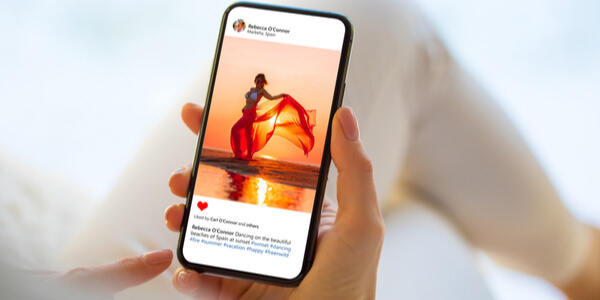
Should I make my Instagram private?
We highly recommend that Instagram users marketing their business on Instagram should switch to a business profile if they haven’t already.
Filtering out who can see your content will only cut you off from your target audience. The services that you can access as a business will allow you to create content and ads that truly make a difference to your conversions.
As a personal user, it is completely up to you whether you choose to switch to a private account. If you only want your content to be seen by friends and family then the private option may be best for you.
How do I switch my Instagram to a private account?
To switch your Instagram to private on a personal account, follow these instructions:
- Click on the 3 horizontal lines in the top right-hand corner of your profile
- Tap ‘Settings’ at the top of the menu
- Click ‘Privacy’, where you can turn the option for ‘Private account’ on or off
You can change these page permission settings at any time on Instagram.

5 winning ways to use Instagram for small businesses
There are over 25 million companies across the world using Instagram for their business and over 200 million users...

5 ways a social media manager can transform your business
Did you know that social media and video viewing are the two most popular online activities, together accounting for...