If you’ve worked in Marketing you will have heard the phrase ‘pay to play’ at least once and unfortunately, this is the case when it comes to guaranteeing a significant reach on Social Media.
Now, it’s important to bear in mind that a large reach doesn’t necessarily equate to a quality one – but as you evolve and improve your campaign strategies and targeting you shouldn’t be too far off.
What Is Social Media Marketing?
Before we get too deep into Social Media Advertising, let’s define what we mean by Social Media Marketing.
Social Media Marketing is when businesses utilise Social Media platform(s) to promote themselves, drive traffic and increase brand awareness.
Social Media can be a fruitful tool for many companies when done well. There are two sides to Social Media, the first being ‘Organic’ which is everything users post for free across their accounts and ‘Paid Social’ which is when they assign a paid marketing budget and build Social Media Ads.
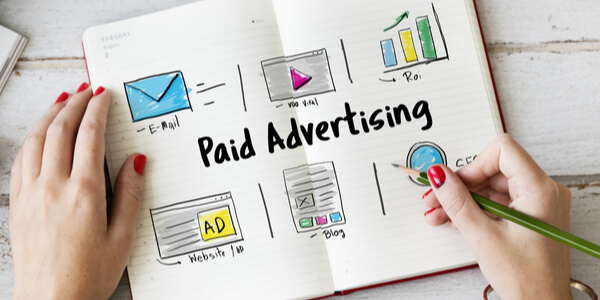
What Is Social Media Advertising?
There are several ways a business can conduct its advertising without using Social Media. For example, Google Search Ads or Google Display Network (GDN) can be utilised to increase website traffic and brand exposure. Google Ads are run on a bidding basis and advertisers will need to know specific keywords to attract the right audience and spend their campaign budget best.
If you’ve been working in Marketing, or especially Social Media for the last few years you will have noticed a decline in organic reach and engagement. Consider Pay Per Click (PPC) and Search Engine Optimisation (SEO) – the paid and organic side of Google. Social Media organic posts and ads can also work in tandem.
Research shows that those who run a social ad from their Facebook Page, for example, will see an increase in their organic reach as well as the benefits of reaching customers via paid social.
Because of this, the social ads industry has grown greatly and companies now utilise social media advertising tools as part of their everyday marketing campaigns. Social ads can target both conquest and existing customers through sophisticated targeting and lead capture techniques.
Where Can You Advertise On Social Media?
The top Social Media platforms: Facebook, Instagram, LinkedIn, Twitter, YouTube, TikTok and Pinterest all allow for advertising. Each platform has tools users can utilise to reach their target audience.
Choose your Social Media platform based on where your desired audience is most likely to be, based on your industry. For example, Pinterest ads can be used to reach people looking for something more visual and creative while Twitter ads may be better for business to business (B2B) marketing.
According to Instagram, advertisers can reach up to 53% of the UK’s population via Social Media Advertising. Facebook take it one step further and claim users can reach up to 36% of the global population (over the age of 13, of course) through Advertising.
How Much Does Social Media Advertising Cost?
The beauty of social ads is users can control their budget. Ads can be live from as little as £1 a day.
However, the bigger your budget, the bigger your reach so to give your ad campaign the best possible chance you should consider investing as much as possible (within reason!).
This doesn’t have to be in one single ad, and it’s better to ‘fail fast’ when it comes to paid ads so if you’re not reaching your objectives or getting the kind of results you’d like to see (or expect) then consider tweaking the image, targeting or copy. If this doesn’t improve the results, it may be time to move on to another digital campaign concept or try another social media platform.
Social Media Advertising Tips
Here are our five top tips for brands looking to run social ads.
1. Have A Clear Call To Action (CTA)
As with all marketing, especially paid, the key is to make it as easy as possible for the audience to complete your desired objective. Therefore, it helps to have a clear CTA on your sponsored ads.
For example, this could be ‘Learn More’ with a link to your site to drive traffic. Each CTA will likely depend on your campaign strategy.
Facebook Ads will have a CTA button that will prompt your customers to ‘Learn More’ or ‘Shop Now’.
2. Install A Facebook Tracking Pixel
Facebook (and Instagram) offer brands helpful advertising tools like Business Manager to support all things marketing, especially paid campaigns. Within Business Manager, you’ll find the Facebook Tracking Pixel which is a free bit of code brands can add to their website and use to remarket sponsored ads to their customers.
When customers search your site, whether this is from Google or other third-party platforms, the Tracking Pixel captures their information and uses their profiles to display social ads.
This style of marketing will increase the chances of campaigns being successful as a brand can target those who are already ‘warm’ from being active on your site.
Companies can also create remarketing audiences based on key search terms or consumers who have engaged with posts and use this information to display super-relevant ads.
3. Define Your Marketing Objectives
Whether you’re looking to increase brand awareness or drive more traffic to your website, having a clear advertising objective will help you build your marketing campaigns and track results. A comprehensive digital strategy will help brands run successful paid campaigns and, if done right, lead to sales.
As above, Social Ads and Organic go hand in hand so once you have established your paid social marketing strategy, consider how you can utilise organic social posts to support this. Stories, for example, are a fantastic way to frequently share content so these should be a part of your organic marketing plan.

4. Regularly Monitor Your Results
Your paid social may not be a success straight away. If you’re new to ad campaigns then you may need to adapt and improve your strategy over time. The best way to ensure you’re not wasting your budget is to keep a close eye on your results.
Your campaigns and therefore desired results will vary based on your strategy. For example, a brand may be looking to target conquest customers and drive engagement. Therefore, engagement metrics such as Likes, Comments or Retweets will be the KPI. Campaigns could also be used to drive traffic to specific landing pages and so Link Clicks or Landing Page Views will be the metrics to monitor.
5. Use Video Where Possible
If you’re looking to drive user engagement then video is absolutely key. Video is the easiest way for brands to share large amounts of information in an easy to consume manner which is ideal considering they’re interrupting a customers newsfeed! Videos created for Ads can also be shared as organic updates across Social Media to create a good mix of content and stand out among photo posts.

What To Do If Your Instagram Account Is Suspended or Disabled
So your Instagram account is suspended or disable? Many of us have been there, don't panic. From a business point of view, Instagram frustratingly holds all the power in terms of who sees what content, how many actions you can make in a day and what activity is...

How To Merge Two Facebook Pages
There are several reasons that a business may want to merge it's existing Facebook Pages. One of the most common reason tends to be that someone in the business created a Facebook Page in the ‘early days’ and it was completely forgotten about so a second page has been...